
Share and Invite
Your database is private until you decide otherwise. When you're ready, you can invite people and choose exactly what each of them can see or do.
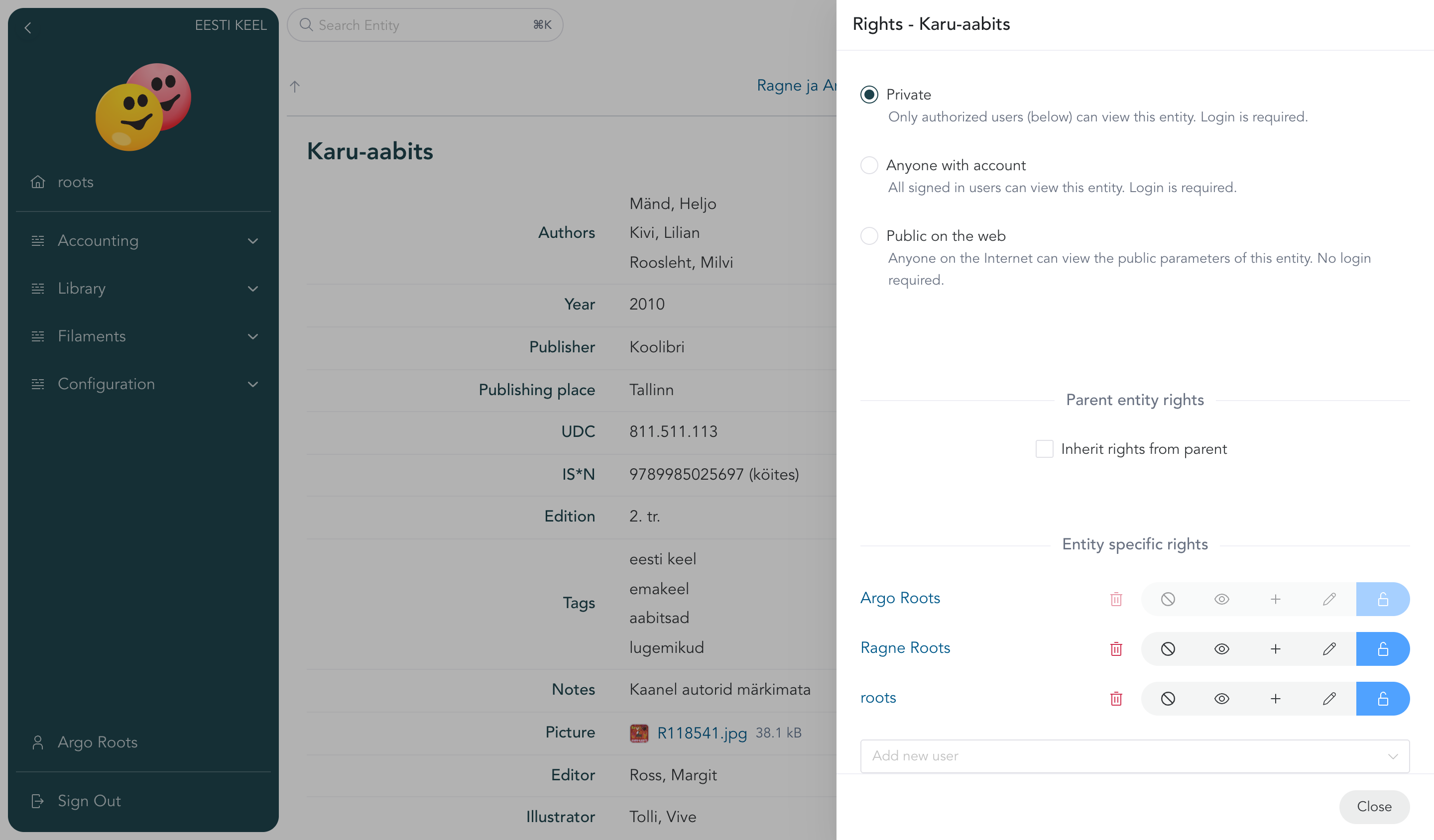
What someone can do
For any entry (or a whole branch of entries), a person can be a:
- Viewer — can look, can't touch. Good for family members or management.
- Editor — can view and change the content.
- Owner — full control, including deleting and managing other people's access.
There's also an in-between level (expander) that lets someone add new entries under yours without changing the existing ones — handy for shared collections.
Rights are set per entry
Every entry carries its own access rights — sharing your Library does not by itself open every book inside it.
To avoid sharing a thousand books one by one, an entry can be set to inherit rights from its parent. Turn that on for the books, set the rights once on the Library, and every book follows it — now and when the Library's rights change later. Rights set directly on an entry are added to the inherited ones, and a direct no access right shuts a person out even when the parent lets them in — so a single sensitive entry can still be locked down (or opened up) on its own.
This is the recommended way to manage access: grant rights on the parent, enable inheritance on the entries under it, and you manage everything in one place.
Invite someone
- Create a Person entry for them.
- Enter their email address.
- Click Send Invite — they get a link, sign in with any of the offered options (a passkey they already have or a new one, Apple, Google, e-mail, or an Estonian ID), and see exactly what you've shared. Nothing more. The link is valid for 24 hours.
Making something public
You can also mark an entry as visible to everyone in your database, or even publicly on the internet — useful for a museum's public catalogue. Only the properties marked public are shown there. Public visibility is read-only and always an explicit choice — though new entries added under a public entry start out public too.