Find Your Data
Once your data is in Entu, getting it back out is the easy part.
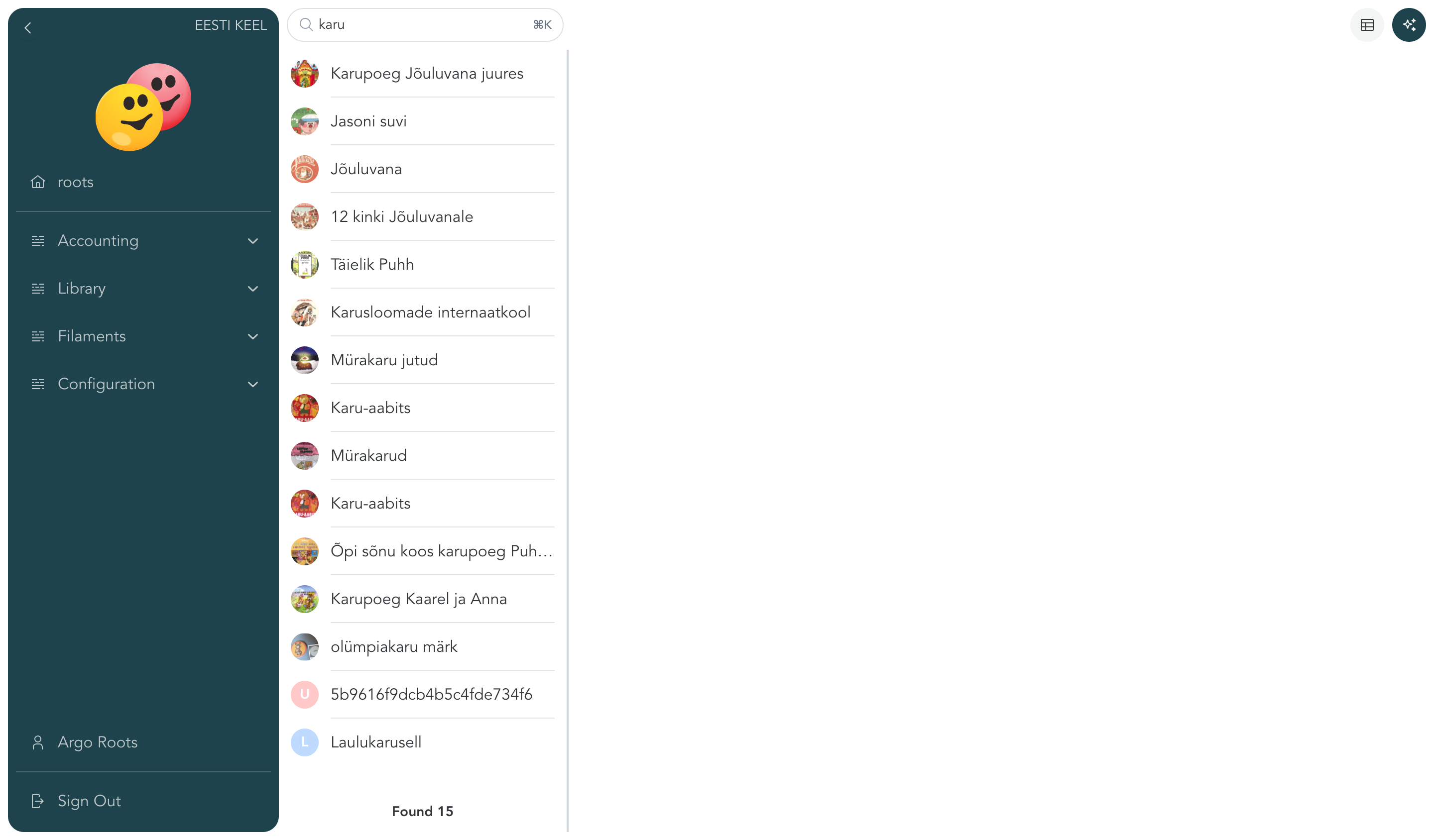
Search everything from one box
The search box in the toolbar looks through all your data at once — you don't have to know whether something was filed as a book, a document, or a contact. Type a name or any other word you remember from a searchable field. When a menu list is open, the search narrows that list instead.
Browse with the menu
The menu on the left groups your data into lists — for example Books, Contacts, Invoices. Each menu item shows a filtered list, so the things you use most are always one click away.
List or table — your choice
On larger screens, a toolbar button switches between two views:
- List view — a compact list with the selected entry's details next to it. Good for reading and editing one thing at a time.
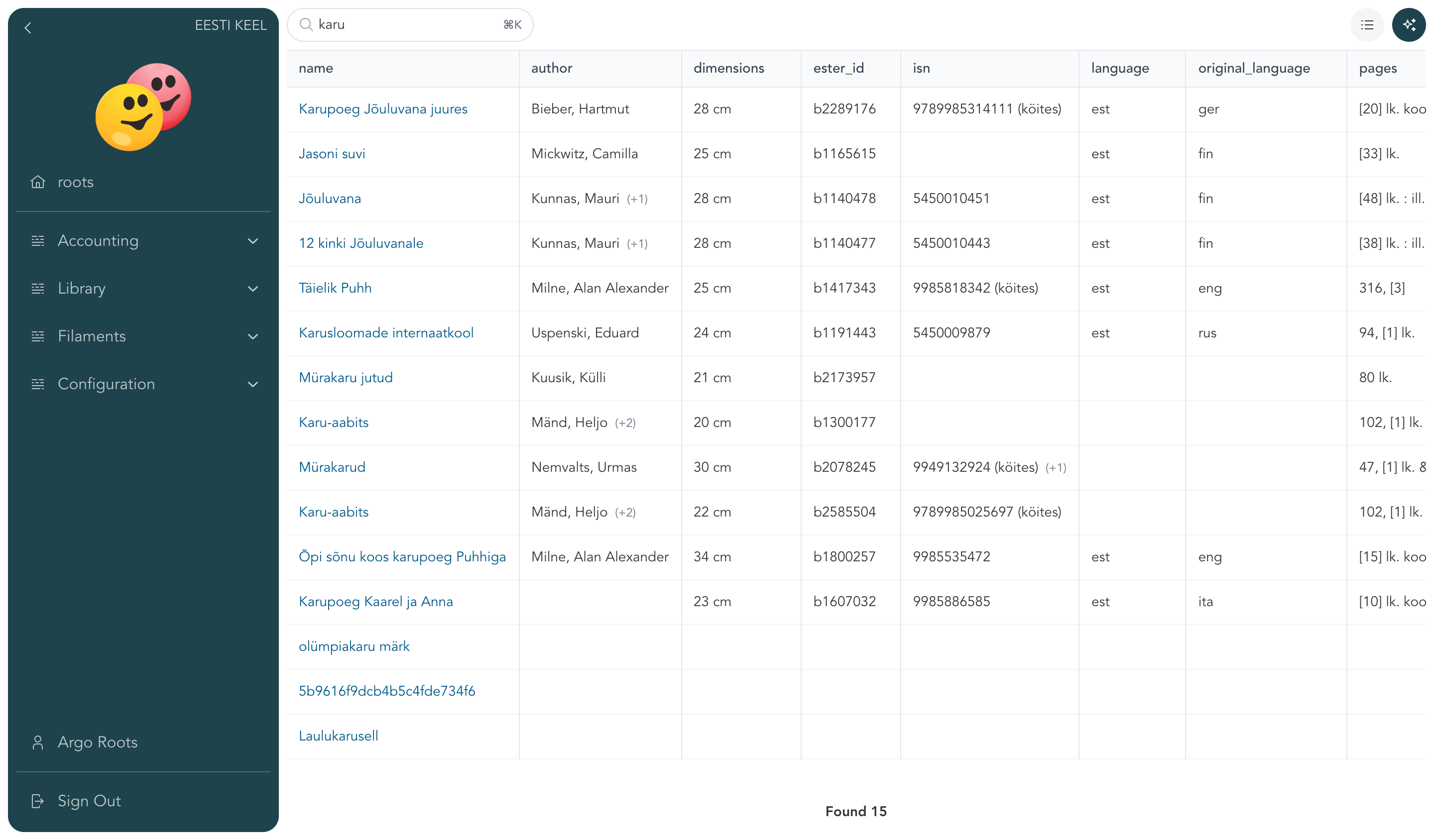
- Table view — all entries as rows with their fields as columns, like a spreadsheet. Good for scanning and comparing many entries.
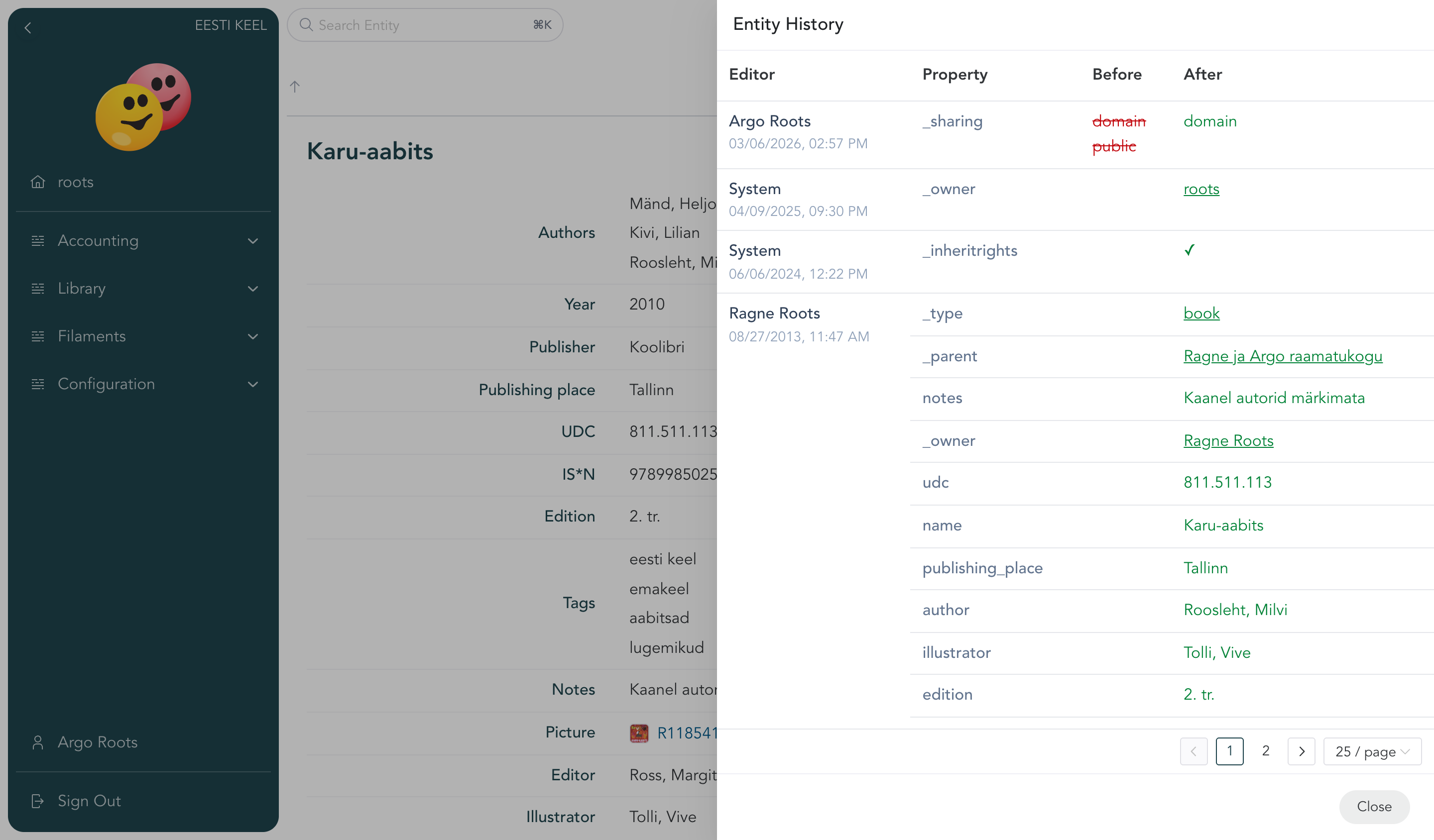
Every change is remembered
Each entry keeps its full history — who changed what and when. If something looks off, click History in the entry's toolbar and see exactly what happened. History is available to anyone who can edit the entry.