
Create Your Account
You can create an Entu database in a couple of minutes. There is nothing to install, no password to invent, and no payment to make — you just pick a name and sign in with an account you already have.
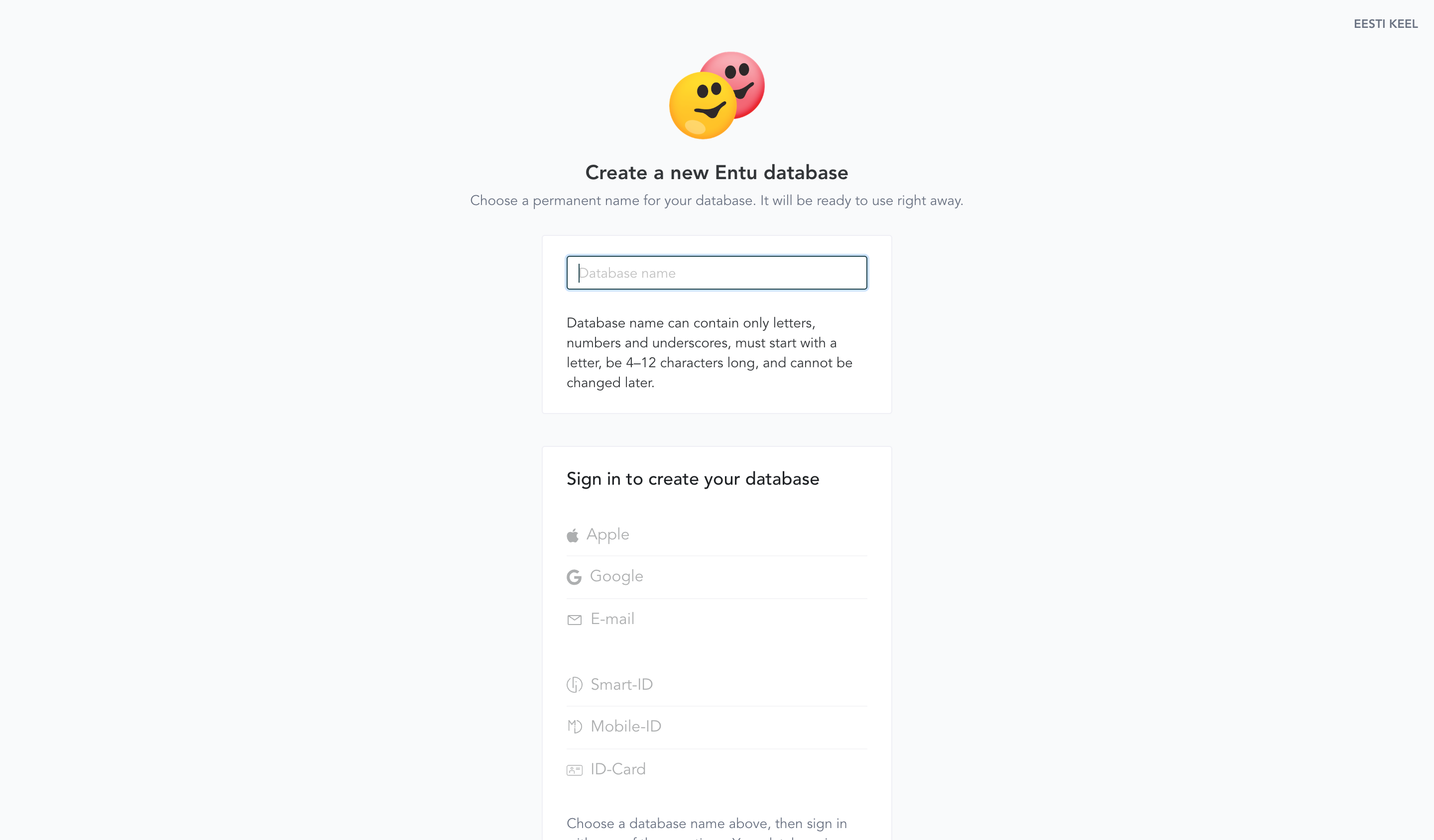
1. Go to the signup page
Open entu.app/new. This is where every new database starts.
2. Pick a name for your database
Type a name for your database. This name is part of its web address and cannot be changed later, so choose it with care. The rules are:
- 4–12 characters long
- lowercase letters, digits, and underscores (
_) only - must start with a letter
- not a name reserved by Entu (such as
api,auth,new,test, or anything starting withentu_)
Entu checks availability live as you type, so you'll know right away whether the name is free.
Your database is a private space that holds your data — only you can see it until you invite someone else.
3. Sign in
Click the sign-in provider you want to use — the options become clickable once the name is available:
- Passkey — create a new passkey on your device, or use one you already have for Entu; you use it with your fingerprint, face recognition, or device PIN.
- Apple or Google — one click if you are already signed in on your device.
- E-mail — we send you a link; clicking it signs you in.
- Smart-ID, Mobile-ID, or ID-Card — Estonian e-identity options.
Your database is created right after you sign in. If you are already signed in to Entu, click Create Database instead.
Entu never stores passwords, so there is no password to forget or leak. You can add more sign-in methods later, including a new passkey, with Add Login Method in the edit form of your own person entity — they all lead to the same account. Read more under Authentication.
4. You're in
That's it — you land directly in your new database as its owner. No payment and no separate invite step.
Every new database ships with a standard set of entity types, menus, and plugins, so you have a working structure to start from right away. You can add, change, or remove any of it at any time. To pull in more ready-made entity types, use the Schema Templates plugin.
Billing is entirely separate and optional — you can set up a plan later from the billing page inside your account.